Customization in ERP Solution: Build ERP Around Your Business
There is a simple problem with many ERP implementations: the business has to change its process to fit the software.
But shouldn’t it be the other way around?
Every company has its own way of handling approvals, transactions, reports, inventory, customers, employees, and day-to-day operations. A standard ERP can cover common requirements, but once a business has a process that works differently, limitations can start to appear.
This is where ERP customization becomes important.
Bhavantu Software’s Custom ERP Solution is built with flexibility in mind. Instead of expecting every business to work in exactly the same way, we customize the ERP around practical business processes, reporting requirements, workflows, and management needs.
The objective isn’t customization for the sake of customization.
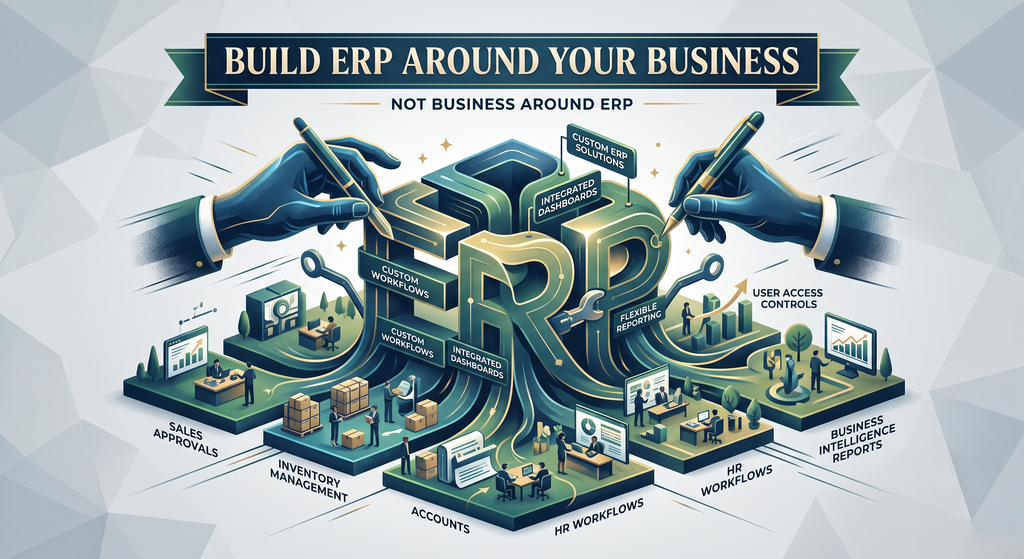
The objective is to make the ERP fit the way your business actually works.
Why Does ERP Customization Matter?
Imagine your team has been following the same business process for years.
There may be specific approval steps, particular reports, unique calculations, multiple branches, different inventory rules, or industry-specific requirements.
Now imagine introducing an ERP that doesn’t support those processes.
Your team may end up:
- Maintaining spreadsheets alongside the ERP
- Entering the same information multiple times
- Using manual workarounds
- Creating reports outside the system
- Changing established workflows unnecessarily
- Depending on developers for every small requirement
Over time, the ERP can become another task instead of becoming a solution.
Customization helps reduce this gap.
What Can Be Customized?
Customization doesn’t mean changing everything.
It means identifying the areas where your business genuinely needs something different and adapting the system accordingly.
Business Workflows
Approval processes, transaction flows, department-level procedures, and other workflows can be designed around your existing operations.
Forms & Transactions
ERP forms can be modified to capture the information your employees actually need.
Reports
If standard reports don’t provide the right information, customized reports can be developed with specific filters, calculations, columns, and formats.
Dashboards
Management dashboards can be designed around the KPIs and information that matter to your business.
Business Rules
Specific calculations, validations, alerts, and conditions can be incorporated into the system according to your requirements.
User Access
Different departments and users may require different levels of access. The ERP can be configured to reflect your organizational structure.
Customization Should Solve a Problem
Not every ERP needs extensive customization.
In fact, unnecessary customization can make a system harder to maintain.
At Bhavantu Software, the better approach is to first understand why something needs to be customized.
For example:
“We need a different sales screen.”
Instead of immediately changing the screen, we look at what information or process is missing.
Maybe the business needs:
Additional Fields → Approval → Automated Calculation → Customized Invoice → Management Report
Understanding the complete requirement helps create a solution that addresses the actual business problem rather than simply changing the appearance of the software.
From Practical Process to ERP Workflow
A good customization process starts with understanding how work happens outside the software.
We look at questions such as:
- Who performs the task?
- What information is required?
- Who approves it?
- What happens next?
- Which department receives the information?
- What reports are generated?
- What decisions depend on that information?
These answers can then be translated into an ERP workflow.
Business Process
How your team works today
↓
Requirement Analysis
What the ERP needs to support
↓
Custom Development
Build or modify the required functionality
↓
Integration
Connect it with other ERP modules
↓
Testing
Verify the workflow with real business scenarios
↓
Deployment
Put the customized process into everyday use
This approach keeps customization focused on business value.
Custom ERP + Business Intelligence
Customization becomes even more useful when it is combined with Business Intelligence.
Your ERP already contains valuable information from sales, purchases, inventory, accounts, customers, and other operations.
Instead of only storing that information, customized dashboards and reports can help management understand it.
For example:
Sales Data → Performance Dashboard
Inventory Data → Stock Analysis
Accounts Data → Financial Insights
Customer Data → Relationship Analysis
Operational Data → Management KPIs
This gives decision-makers a more useful view of what is happening inside the business.
Customization Across the ERP
One of the advantages of having a connected ERP is that customization doesn’t have to remain limited to one department.
Bhavantu’s Custom ERP can bring different business functions together, including:
- Company & Branch Management
- Accounts
- Inventory
- Purchase
- Sales
- Customer Management
- Reporting
- Business Intelligence
- Other business-specific modules
For example, a customized sales workflow can connect with inventory availability and accounting information.
Similarly, a customized purchase process can connect purchasing with inventory and financial transactions.
This creates a connected workflow instead of isolated custom applications.
When Should You Consider ERP Customization?
Customization can be particularly useful when:
Your Process Is Industry-Specific
Your business follows workflows that aren’t commonly available in standard ERP packages.
Existing Software Requires Too Many Workarounds
If employees constantly move data between different systems, the ERP may not be fitting the process properly.
You Need Specific Reports
Management may require reports that aren’t available in the standard system.
Your Business Is Growing
New branches, departments, products, users, and processes may create requirements that didn’t exist when the ERP was first implemented.
Multiple Systems Need to Work Together
Customization and integration can help connect ERP data with other business applications and services.
Why Bhavantu Software?
Customization is one of the core ideas behind Bhavantu Software’s ERP approach.
We don’t look at ERP as a fixed product that every company must use in exactly the same way.
Instead, we focus on understanding the business first and then configuring or developing the software around those requirements.
Practical Approach
We focus on real business processes instead of adding features simply because they sound impressive.
Flexible ERP
The system can be adapted as your processes and requirements evolve.
Connected Operations
Custom workflows can interact with accounts, inventory, sales, purchase, reporting, and other modules.
Business Intelligence
Customized reports and dashboards can help turn operational data into useful business insights.
Scalable Solution
The ERP can evolve as your company adds new branches, operations, users, or requirements.
One Business, One System
The goal is to reduce dependency on scattered spreadsheets and disconnected tools by bringing important processes into one environment.
Who Can Benefit From a Custom ERP?
Custom ERP isn’t limited to one industry.
Businesses with complex workflows, multiple locations, specialized reporting, or unique operational requirements can benefit from a customized approach.
Bhavantu Software provides ERP solutions for businesses across India, including Gujarat, Maharashtra, Rajasthan, Punjab, Haryana, Uttar Pradesh, Madhya Pradesh, Karnataka, Telangana, Tamil Nadu, Kerala, Odisha, West Bengal, Assam, Bihar, Andhra Pradesh, and other regions.
The exact ERP structure can be adapted according to the organization’s industry, size, workflow, and operational requirements.
Frequently Asked Questions
What is ERP customization?
ERP customization means modifying or extending an ERP system so that its workflows, reports, screens, calculations, integrations, and business rules better match a company’s specific requirements.
Why choose a Custom ERP instead of a standard ERP?
A standard ERP provides commonly used features, while a Custom ERP can be adapted to business-specific processes. This can be useful when standard workflows don’t match the way your organization operates.
Can existing ERP software be customized?
In many cases, yes. Depending on the software architecture and available customization options, existing ERP functionality can be modified or extended.
Can reports and dashboards be customized?
Yes. Customized reports and dashboards can be created around specific business information, calculations, KPIs, filters, and management requirements.
Can ERP customization include Business Intelligence?
Yes. Business Intelligence can be incorporated to present ERP data through dashboards, analytics, KPIs, and management reports.
Will customization make the ERP difficult to use?
It doesn’t have to. Good customization should make the system easier to use by reducing unnecessary steps and matching familiar business workflows.
Can the ERP be customized as the business grows?
Yes. A well-designed Custom ERP can evolve as new branches, departments, processes, reports, and business requirements are introduced.
Don’t Customize Everything. Customize What Matters.
ERP customization isn’t about making software complicated.
It’s about removing the gap between how your business works and how your software expects you to work.
The right customization can eliminate repetitive tasks, reduce manual work, improve visibility, simplify reporting, and make everyday processes more natural for your team.
Bhavantu Software combines Custom ERP Development, Business Intelligence, and practical workflow customization to create solutions that are built around real business requirements.
If your current ERP forces your team to work around the software, it may be time to look at a different approach.
Let’s Build ERP Around Your Business
Tell us how your business works, what currently slows your team down, and what you want your ERP to accomplish.
Bhavantu Software can help turn those requirements into a practical Custom ERP Solution.
Get started today, contact Bhavantu Software to discuss your customization requirements.
For more details and a personalized consultation, visit our Products!
Contact No: 9099825657
Email: sales@bhavantusoftware.com